Know who’s dealing before party night
GigWize is scheduling software for casino party companies that bring their own crew. Set up the positions your company staffs, with a call time and flat pay for each. Your dealers sign up from their phones, and you can see which spots still need someone.
30-day free trial for new organizations. No card needed.
How GigWize works
Set up your crew and positions
Invite your regular crew with a link. They set up their own profiles, and you record the positions each person works. Create your positions once, ready for the next party.
Post the party
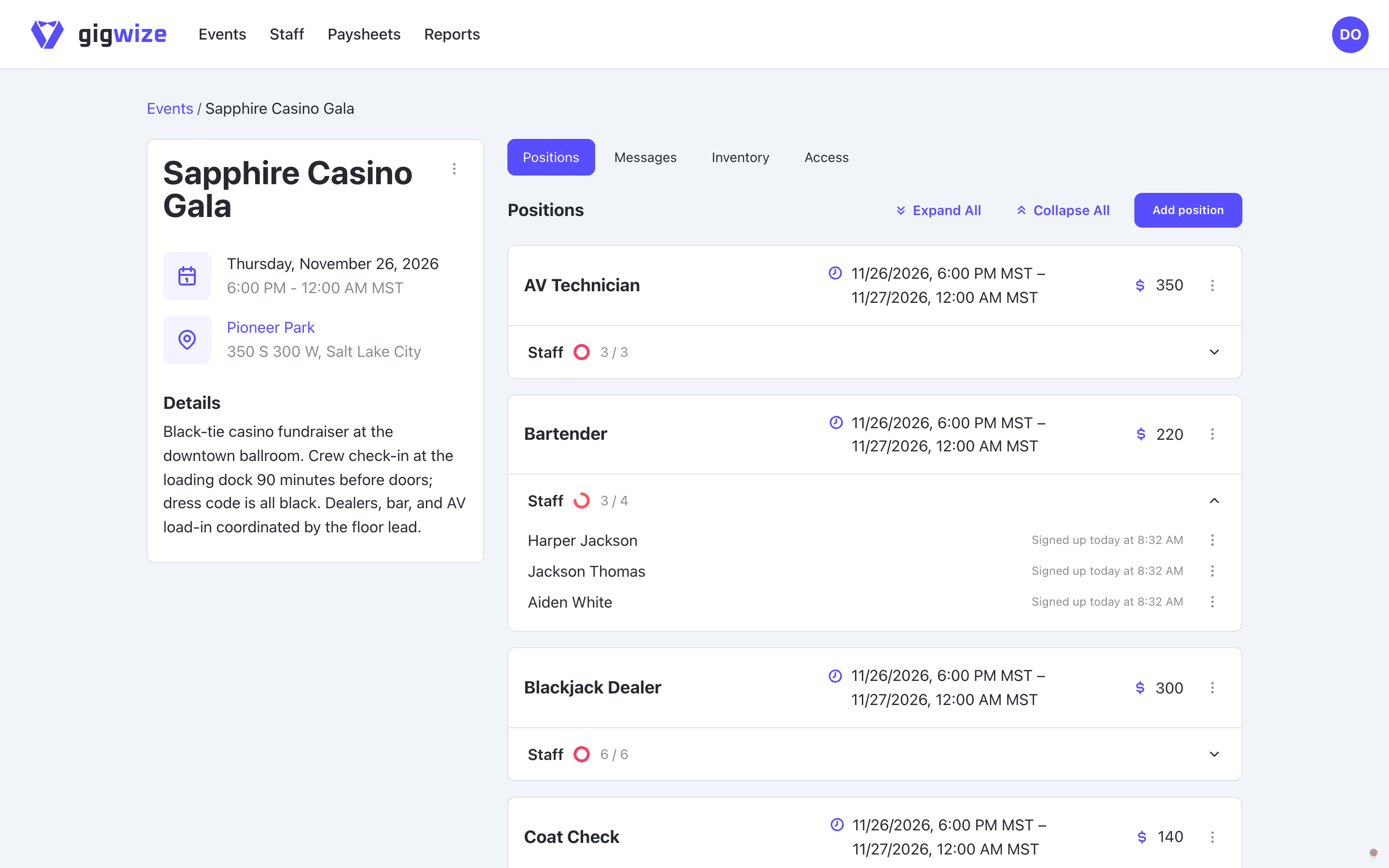
Set the venue and event hours, then add the positions you need. Each gets its own headcount, call time, and flat pay. Give access to specific people, a group, or staff at a minimum rank.
Fill spots and see what is open
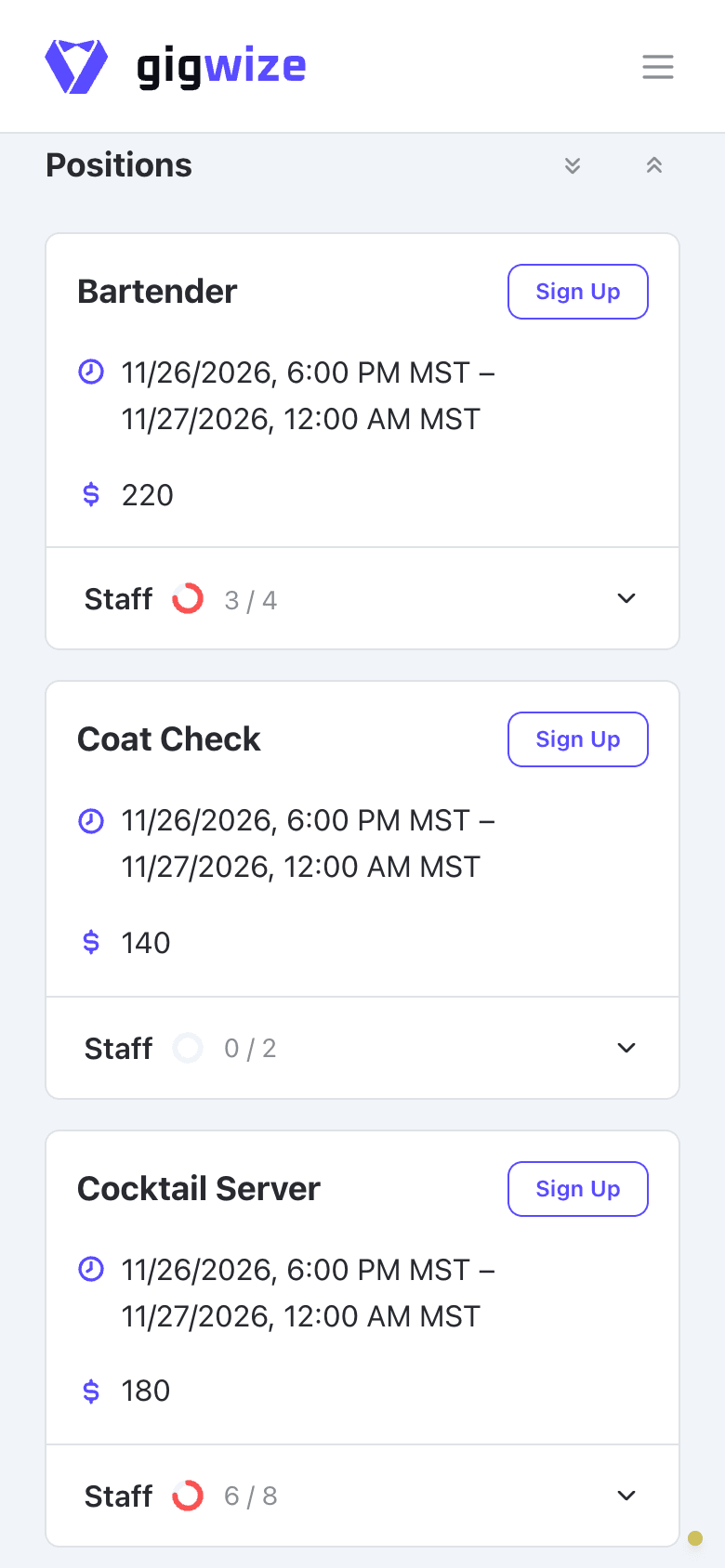
Assign someone directly or let eligible dealers sign up from their phones. See who took each spot and which positions still need someone, so you know where to follow up.
Keep the crew informed and check them in
Put arrival instructions and updates on the event message board. At check-in, mark each dealer on time, late, or absent and build an attendance history for the next staffing decision.
Close out the event
After the event, each dealer’s pay goes onto their paysheet. Review the event line items and total, pay through your usual method, then mark the sheet paid in GigWize.
Common questions
Can I start with the crew I already have?
Yes. Invite the dealers and crew you already work with. Start with one upcoming party so your team can see the call time and pick up open spots in one place.
Can I set up my own positions and staff them separately?
Yes. Create your positions once and add whichever ones each party needs. Give each position its own headcount, call time, and flat pay. Staff each position separately and see where you still need someone before party night.
Can my crew use GigWize without downloading the app?
Yes. You can set up events, manage your crew, and review paysheets in your browser. Your crew can check their schedule and pick up spots from a phone browser or use the GigWize mobile app where available.
How does dealer pay work?
GigWize adds up the flat pay for each dealer's assignments. You review the paysheet, pay through your usual method, and record the payment in GigWize.
Can I use ChatGPT, Claude or Gemini with GigWize?
Yes. GigWize connects through MCP so ChatGPT, Claude or an eligible Gemini account can look up your events, assignments, and paysheets. Ask which spots still need someone for Saturday’s party. The connection is read-only and follows your GigWize permissions. See how to connect your assistant.
Start with your next party
Add the positions for an upcoming party, invite a dealer, and try a signup. Check who is on the lineup and which spots still need someone before bringing the rest of your crew in.